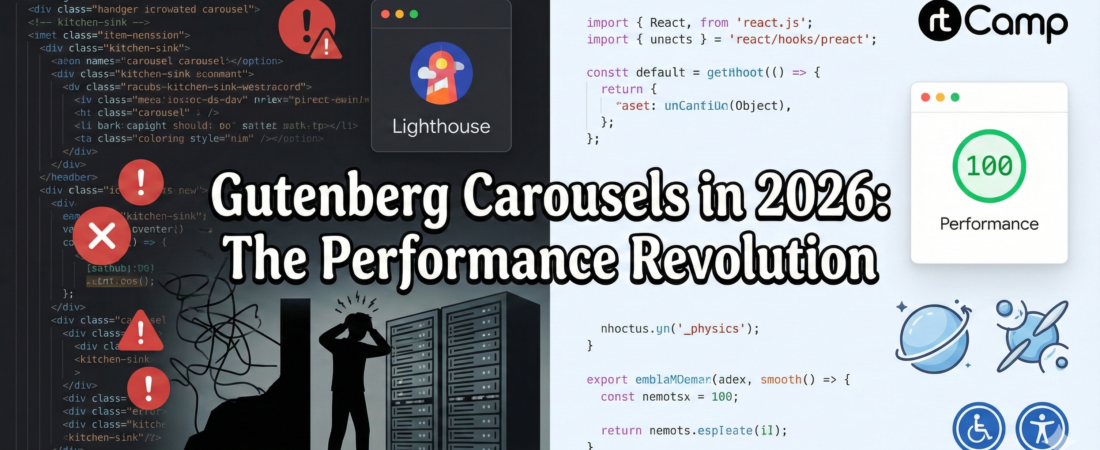
If you’ve spent any time building custom Gutenberg blocks, you know the “Carousel Curse.” You find a library that looks great in a demo, but the moment you drop it into the WordPress editor, your Lighthouse score plummets, and your console fills with layout shift warnings. You end up in a deep rabbit hole—and climbing back without losing progress feels impossible. I been there, and learned it hard way.
It’s 2026, and the era of “kitchen-sink” libraries like Swiper or Slick is winding down for performance-first developers. Working at rtCamp, I’ve seen how enterprise-scale WordPress sites struggle with front-end weight. When we need a slider that is accessible, performant, and actually stays out of the way, there is only one choice: Embla Carousel.
The Fact Sheet: Why Embla Wins in 2026
I didn’t just pick Embla because it’s trendy; I picked it because the math adds up for modern web standards.
- Size (The 4KB Powerhouse): While Swiper.js has ballooned to over 35KB (gzipped) because of its endless feature list, Embla stays lean at roughly 4-5KB. In a world where every millisecond of LCP (Largest Contentful Paint) matters, this is a massive win.
- Headless Philosophy: Most libraries force their CSS on you. Embla is “headless”—it handles the math, the physics, and the gestures, but gives you 100% control over the DOM and styling. No more
!importanttags to override default arrow colors. - Maintenance & Ecosystem: As of 2026, Embla remains one of the most active open-source projects in the React ecosystem. Its plugin-based architecture (Autoplay, Wheel Gestures, Class Names) means you only ship the code you actually use.
- React 19+ Ready: Embla’s hook-based API (
useEmblaCarousel) is built for the modern React lifecycle, making it perfectly stable for the latest WordPress@wordpress/scriptsenvironments.
Implementation: Clean, Hook-Based Code, Vanilla when required
One of the biggest headaches in WordPress development is ensuring the carousel works both in the Editor (Edit) and on the Frontend (Save). Embla makes this seamless because it doesn’t rely on heavy global initializations.
Here is the “my way” of setting up a lean React carousel component (edit.js):
import React from 'react';
import useEmblaCarousel from 'embla-carousel-react';
import Autoplay from 'embla-carousel-autoplay';

const ModernCarousel = ({ slides }) => {
    // Initialize with a loop and a 4-second autoplay
    const [emblaRef] = useEmblaCarousel({ loop: true }, [Autoplay({ delay: 4000 })]);

    return (
        <div className="embla" ref={emblaRef}>
            <div className="embla__container">
                {slides.map((slide, index) => (
                    <div className="embla__slide" key={index}>
                        <img src={slide.url} alt={slide.alt} loading="lazy" />
                    </div>
                ))}
            </div>
        </div>
    );
};
Note: In a real Gutenberg setup, avoid bundling React twice. When using @wordpress/scripts, React is already externalized. For larger plugins or shared blocks, consider externalizing embla-carousel-react as well to keep editor bundles lean and predictable.
And the CSS remains remarkably simple. No complex library stylesheets required:
.embla {
    overflow: hidden;
}
.embla__container {
    display: flex;
    backface-visibility: hidden;
    touch-action: pan-y;
    will-change: transform;
}
.embla__slide {
    flex: 0 0 100%; /* Shows one slide at a time */
    min-width: 0;
}
but wait… you can’t just use a React hook and call it a day. React hooks only run in the editor. For the frontend, you need the Vanilla JS API.
In the save function, we output clean, static HTML. Then, we use a separate view.js file (loaded only on the frontend) to initialize the carousel using Embla’s Vanilla API.
export default function save({ attributes }) {
    return (
        <div className="wp-block-rt-carousel embla js-embla-instance">
            <div className="embla__container">
                {attributes.images.map((img) => (
                    <div className="embla__slide" key={img.id}>
                        <img src={img.url} alt={img.alt} />
                    </div>
                ))}
            </div>
        </div>
    );
}
Lets also add view.js
import domReady from '@wordpress/dom-ready';
import EmblaCarousel from 'embla-carousel';

domReady(() => {
	const carousels = document.querySelectorAll('.js-embla-instance');

	carousels.forEach((node) => {
		// Pure Vanilla JS – no React on the frontend
		EmblaCarousel(node, { loop: true });
	});
});
Note: domReady() only runs once. If your carousel is rendered via Query Loop, AJAX, or infinite scroll, it may never initialize. In production, prefer a MutationObserver or the WordPress Interactivity API to initialize Embla as instances enter the DOM.
but… did we missing something…big…?
Accessibility: Where Most Carousels Quietly Fail
Yes, We can’t overlook accessbility, Performance without accessibility is just technical debt in disguise. Carousels are notoriously bad here—not because the pattern itself is broken, but because most libraries ship with opaque markup, div soup, and no semantic escape hatch.
This is another area where Embla’s headless approach pays off.
Because Embla does not impose structure or ARIA roles, accessibility becomes a conscious design decision, not a fight against a framework. You control the markup, which means you can meet real WCAG expectations instead of ticking checkbox features.
Keyboard Navigation (Non-Negotiable)
Embla doesn’t “auto-magically” trap focus or hijack keyboard behavior—which is exactly what you want.
A typical pattern:
- Make slides focusable only when active
- Allow arrow-key navigation
- Preserve natural tab order
emblaApi.on('select', () => {
  const slides = emblaApi.slideNodes();
  slides.forEach((slide, index) => {
    slide.setAttribute(
      'aria-hidden',
      index !== emblaApi.selectedScrollSnap()
    );
  });
});
No hidden focus traps. No fighting default browser behavior.
Screen Readers & Semantic Control
Most slider libraries hardcode ARIA roles that sound good in theory but break real screen reader flows.
With Embla, you can:
- Use semantic HTML (
<ul>,<li>,<figure>) - Add meaningful labels (
aria-label="Featured posts carousel") - Announce slide changes only when necessary
Example:
<div
  class="embla"
  role="region"
  aria-roledescription="carousel"
  aria-label="Featured Movies"
>
This gives assistive tech context without noise.
Reduced Motion (Required in 2026)
Users opting into prefers-reduced-motion should never be forced into autoplay or animated transitions.
Embla makes this trivial:
// Don't forget domReady, or...
const prefersReducedMotion = window.matchMedia(
  '(prefers-reduced-motion: reduce)'
).matches;

EmblaCarousel(node, {
  loop: !prefersReducedMotion,
  speed: prefersReducedMotion ? 0 : 10,
});
No hacks. No CSS overrides. Just respect the user.
Autoplay Without Being Hostile
Autoplay is where most accessibility violations happen.
If you use autoplay:
- Pause on interaction
- Pause on focus
- Provide an explicit stop control
Embla’s Autoplay plugin supports this cleanly:
Autoplay({
  delay: 4000,
  stopOnInteraction: true,
  stopOnFocusIn: true,
});
This alone avoids multiple WCAG violations common in “out-of-the-box” sliders.
The Key Advantage
Embla doesn’t claim accessibility.
It enables it.
That distinction matters.
You’re not stuck undoing bad defaults or shipping inaccessible behavior because “the library works that way.” You build the carousel the same way you build the rest of the page—intentionally.
The Comparison: 2026 Landscape
| Feature | Embla Carousel | Swiper.js | CSS Scroll Snap |
| Weight | ~4KB | ~38KB | 0KB |
| JS Dependency | Low | High | None |
| Control | Absolute (Headless) | Difficult (Opinionated) | Minimal (Browser-led) |
| UX/Physics | Silky Smooth | Good | Varies by Browser |
Final Thoughts
While CSS Scroll Snap is a great “zero-JS” alternative for basic galleries, it fails the moment a client asks for infinite loops, drag-intent physics, or custom navigation syncing.
For those of us building high-performance WordPress blocks in 2026, Embla hits the “Goldilocks” zone: it’s as light as manual CSS but as powerful as a dedicated engine. If you’re still shipping 40KB of slider JS for a three-image gallery, it’s time to think about refactoring the bloatware.
Over to You
How are you handling carousels in Gutenberg today?
- Are you using Embla, CSS Scroll Snap, or something else?
- Have you hit accessibility or CLS issues in production?
- Do you think carousels should even exist in modern WordPress themes?
I’d love to hear what’s working (and what isn’t) in real-world projects. Drop your thoughts, counterpoints, or benchmarks in the comments—especially if you’ve measured results at scale.
~Leaveitblank (Mayank Tripathi)